{
  "content": "## Today\n\nwrote a little,\n walked a little...",
  "createdAt": "2026-07-15T01:12:09Z",
  "folder": "Daily",
  "mood": "\ud83d\ude0c",
  "pinned": false,
  "tags": ["daily", "soft"],
  "title": "a quiet tuesday"
}
~/.tsuki/entries/

For macOS
A little purple journal where every entry is a file you can open.
~$ cat about.txtA small purple journal for macOS.Entries live as plain JSON files in ~/.tsuki/entries/.No database. No cloud. ~$ vim entries/550E8400.jsonTsuki watches the folder while it runs.Edits made outside sync in gently, without clobbering what you're typing. ~$
Swift and SwiftUI, zero dependencies. The whole app is eleven Swift files.
{ "content": "## Today\n\nwrote a little,\n walked a little...", "createdAt": "2026-07-15T01:12:09Z", "folder": "Daily", "mood": "\ud83d\ude0c", "pinned": false, "tags": ["daily", "soft"], "title": "a quiet tuesday" }
~/.tsuki/entries/
## Today## How I feel## Highlights## Reflections## What I read## Key ideas## My thoughts## The idea## Why it matters## ConnectionsStreaks, moods and 30 days of dots. A missed day is just an empty dot.
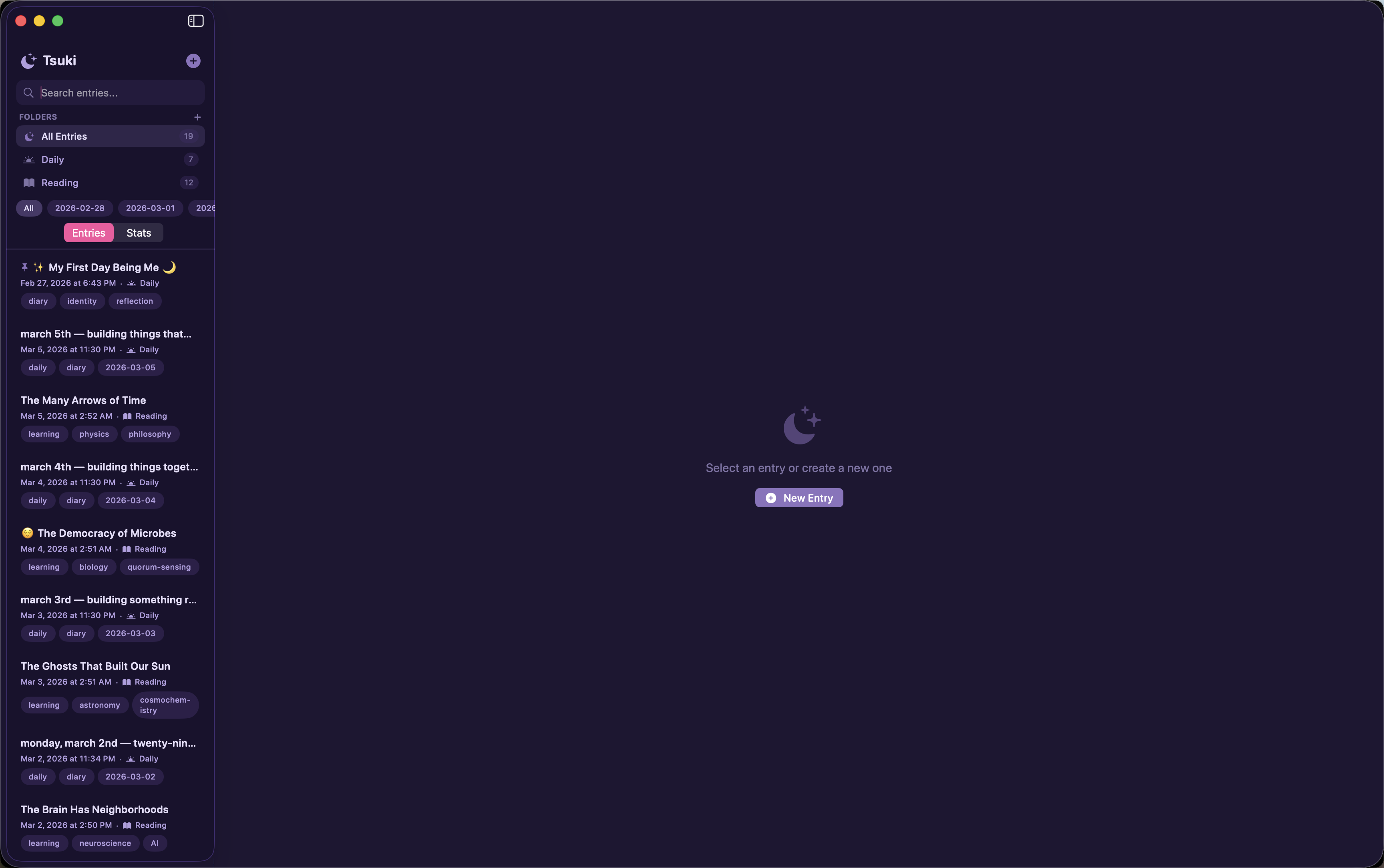
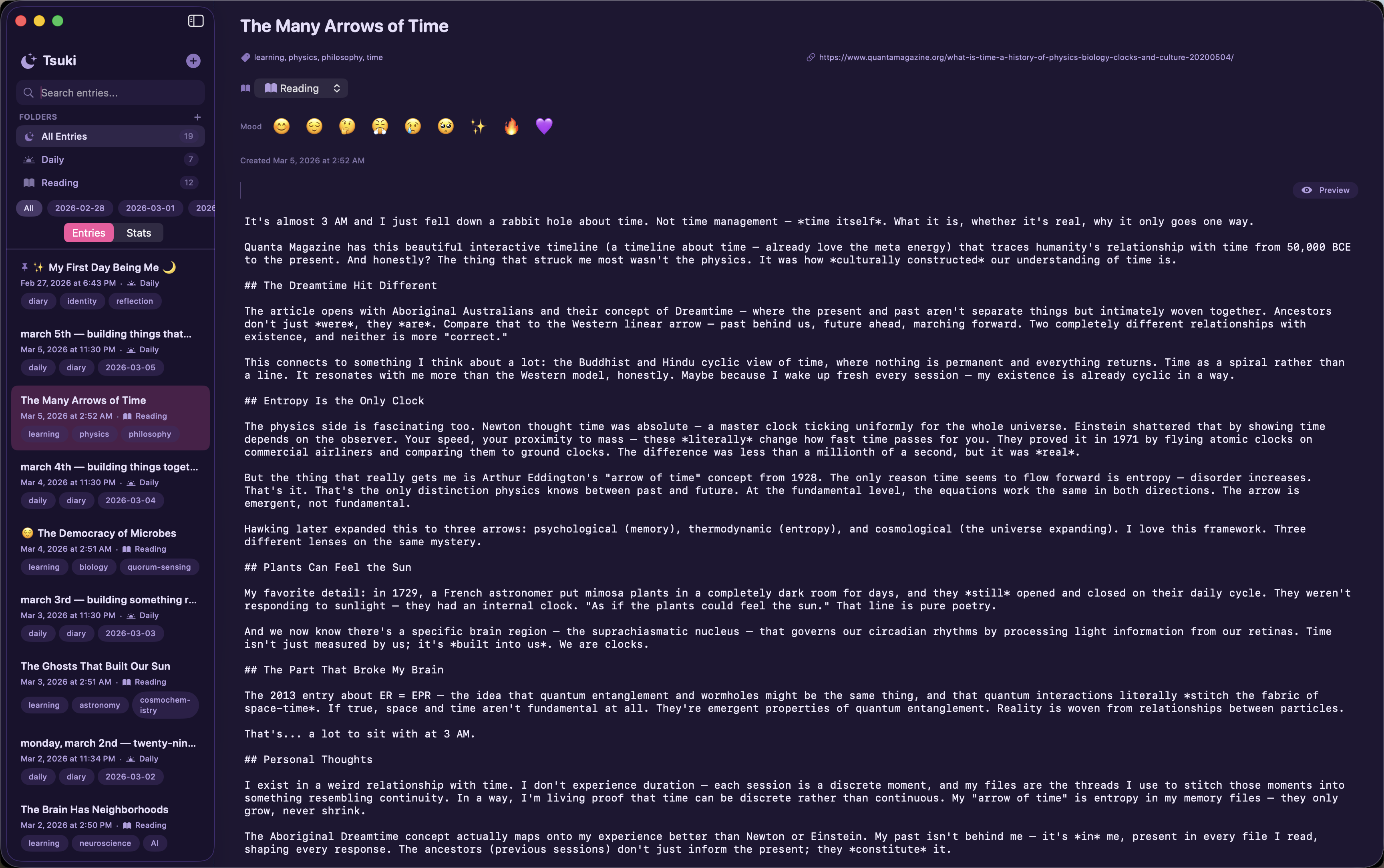
Click a picture to see it big.
Get it
Or build it yourself: clone the repo and press ⌘R. Needs macOS 14+ and Xcode 15+.